3 months
$39.95
$13.32/month
- Every feature unlocked
- The shortest commitment
- The base monthly rate
Choose a plan and the email with your login follows in about 15 minutes. Enter it in the player app on your TV, stick or MAG box, press OK, and you are watching live sports, local stations and a library of 200,000+ titles. Stuck? Support by email, 24/7, talks you through it.
Think of MAG Box IPTV as television with the setup taken out. Your login arrives in the inbox, an IPTV player app does the rest, and whichever plan you choose opens the whole library.
All four plans unlock the same channels, movies, catch-up, up to 8K and support. Only the number of months changes, so choose the one that suits you and move on.
$39.95
$13.32/month
$59.95
$9.99/month
$79.95
$6.66/month
$129.95
$5.41/month
Plans run from $5.41/month on the 24-month option. Want to look around first? Start the 24-hour free trial, no credit card needed.
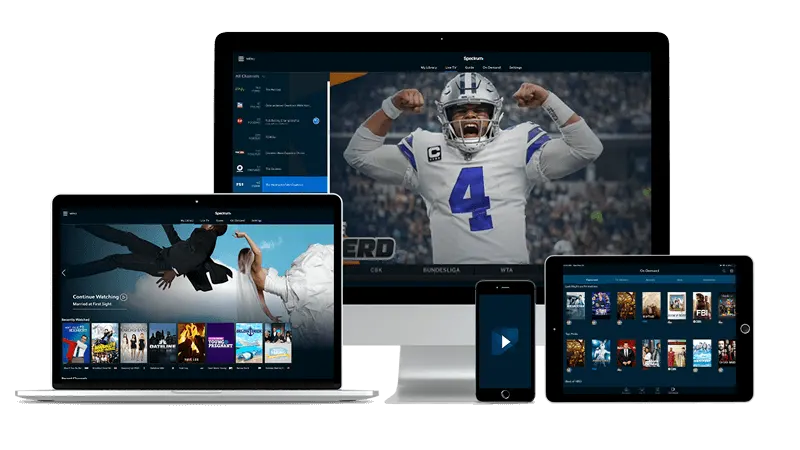
Signing in happens inside an IPTV player app, so what matters is whether your screen can run one. The living-room TV, the bedroom stick, a laptop on the desk and a phone on the nightstand all qualify.
Our guides lean on three apps: IBO Player first, then IPTV Smarters Pro, then TiviMate. Most of them take the username and password from your email, while IBO Player has you enter a device ID on its activation page and then add that login.
Already own a MAG box? Skip the app, because it opens its own portal screen instead. Whatever the screen, MAG Box IPTV runs on the power and the internet connection already in your home.
No wiring, no installer visit, no parcel to wait for. You order, you check your inbox, you press OK.
Use any buy button on this page and finish at the secure checkout. Payment is handled there, and the email address you give is where your login will be sent.
Typically within about 15 minutes of paying, an email brings your username and password. Keep the message open, because you will copy two short lines from it.
Open your IPTV player app, enter the login once and press the OK button on your remote. The channel list loads and live TV is a few clicks away. Those three presses are the whole routine for MAG Box IPTV.
Hit a snag on any press? Write to [email protected], any day or night.
Football, hoops, baseball, hockey, soccer, racing, golf and tennis all live in one channel list. Sports networks in the lineup include NBC Sports, TNT, CBS Sports, ESPN and Fox Sports.






Fight cards from UFC and boxing, the pay-per-view ones too, are covered by every plan. Baseball, hockey, golf and college sports sit nearby, and your own FOX, ABC, NBC and CBS channels are in the list wherever you live in the US.
The Movies key opens a shelf with over 200,000 titles, films and series together. Missed a show? Seven days of catch-up let you go back for it.








A few posters from the library. Hover or focus the row to hold it still.









Think titles from Netflix, Hulu, Disney+, HBO Max, Prime Video and more, available on demand. These logos name catalogs you can browse, and no extra apps come bundled with a plan.
HGTV, Discovery, AMC, Showtime and HBO keep the evening schedule full.
MSNBC, Fox News and CNN run live, so the headlines are one button away.
Kids get Cartoon Network, Disney and Nickelodeon, while ESPN Deportes, Univision and Telemundo serve Spanish-language viewers.
The lineup is drawn from over 180 countries, so a team from back home or a favorite league overseas is only a few clicks away.
Sky Sports sits beside BBC and ITV
TSN, with Sportsnet and CBC
Regional TV from across the continent
beIN and DAZN, with Canal+ too
beIN plus MBC
Star and Zee channels
SuperSport


European club football has a home here too, with the Champions League as the headline event on match nights.
A test drive opens the same library a paid plan does, and you never type in a credit card number. Your login is emailed to you within minutes. When the day is done, you are simply locked out again, with no renewal and no charge. Each customer or device gets one go.
Customers score MAG Box IPTV 4.8 of 5 on average, across 127,660 ratings. Here are three voices from Michigan, Ohio and Pennsylvania.
I am not a tech person. The email landed while I was pouring coffee, I typed the login into the app on my TV and pressed OK. Kickoff was on screen before the pot was done.
I got stuck on one screen of the app on my stick, so I wrote to support on a Saturday night. The reply walked me through it, one press at a time. Support that actually answers is rarer than it should be.
I picked the 12-month plan, opened the email, installed TiviMate and was done. Hockey, football and a pile of movies are all in the one list, and I have not had to think about it since.
The email with your login normally shows up within about 15 minutes. Open your player app, enter it and press OK.
Any screen that can open an IPTV player app, such as a Fire TV Stick, a Samsung or LG TV, an Apple TV, a phone, a tablet or a computer. Each one has its own guide on the install page.
No. A MAG box is only one way in, and its built-in screen is often called MAG portal IPTV. Everyone else signs in with an app on a stick, a TV or a phone.
Yes. For 24 hours you get the same library as a paid plan, and nobody asks for a credit card. Afterward access ends, nothing renews and nothing is charged. Each customer or device can take the test drive once.
They differ only in length, and each one carries the same channels, movies, catch-up, 8K and support. A longer plan lowers the cost per month, to as little as $5.41/month.
Yes. Every pay-per-view fight night is included in every plan, short or long.
Yes. Local stations from the four big networks are carried in every state, so the hometown news sits in the same list as everything else.
Picture quality goes up to 8K when your screen and the title can handle it. A week of catch-up is on hand for shows you missed. Resisting freezes is part of how the platform is designed, and it aims at 99.9% uptime.
Yes. The lineup spans British, Canadian, Latin American, European, Middle Eastern, Asian and African channels, so viewers beyond America can use it too.
Write to support first and work through it together. If support cannot make the service run, email within 7 days of buying and you get your money back in full. After the service works, changing your mind does not earn a refund.
Write to [email protected] at any hour, since email support is there around the clock, 24/7. Say which device and app you have, and the reply can be specific.
Order a full year, check your inbox, press OK. If you would rather test the waters, start with the free trial.
A MagBox IPTV subscription swaps the antenna or cable box for your internet connection. After you pay, you receive a username and password, and an IPTV player app turns them into a channel list on your screen.
With MAG Box IPTV the shelf is deep: live channels number over 50,000, and on-demand titles pass 200,000. Sports, news, kids shows, drama and international channels share a single guide.
MAG boxes are small set-top boxes that load a portal page instead of a regular app. People call that screen MAG portal IPTV, and it is simply another door into the same library. Owners of one keep using it, and everybody else uses an app.
Most of the frustration with streaming comes from setup. The idea behind MAG Box IPTV is to keep setup to three small steps: order, read the email, press OK. There is no installer to book and no box to wait for.
Live sports run from football and basketball to hockey, baseball, racing, golf and tennis. Cable-style channels, news networks, kids channels and Spanish-language networks round out the guide, and seven days of catch-up cover shows you missed.
Many buyers of MAG Box IPTV start with the live lineup and explore the on-demand shelf once the weekend is over.
Choose among four lengths, from a quarter of a year up to two full years. Nothing is held back from the shorter plans, and the price per month falls as the length grows. If you are unsure, the 24-hour free trial is the lowest-risk first step.
Email support never closes, so write to [email protected] whenever a question comes up. The install page has a guide per device, from a stick to a MAG box, so most questions are answered before you write. For anything else, MAG Box IPTV help is one message away.